
VPS WordPress Hosting Built for Power, Speed & Control
WPLogica provides VPS WordPress Hosting for websites that need stronger performance, dedicated resources, better scalability, and expert WordPress support. Ideal for growing websites, agencies, business sites, and high-traffic WordPress projects.
- Dedicated resources
- Expert support
- Free SSL
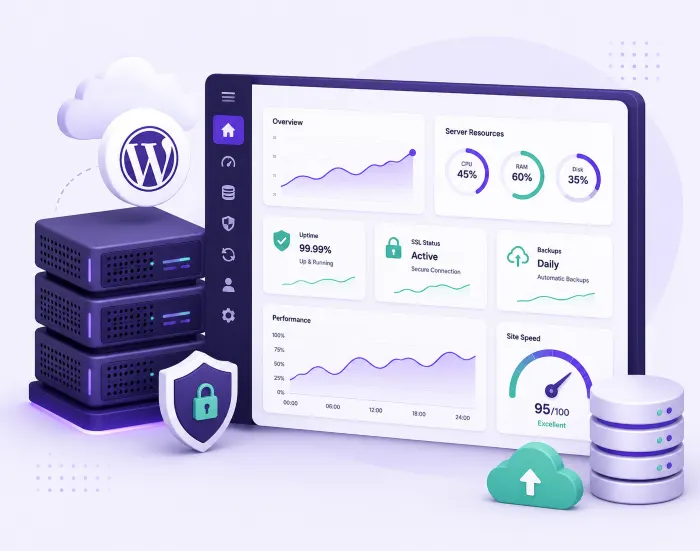
WordPress VPS Hosting Plans
VPS servers are not sold as fixed boxes here. You tell us the workload — traffic, store size, how many sites, whether your team wants root — and we size the server to it and quote on that. Every VPS is set up and migrated by our team before it goes live.
VPS STARTER
For a single busy site that has outgrown a shared plan.
- 2 vCPU Cores
- 4 GB RAM
- 60 GB NVMe SSD
- 2 TB Monthly Transfer
- Managed or Unmanaged
- Free Migration & SSL
VPS BUSINESS
For growing stores and sites with sustained traffic.
- 4 vCPU Cores
- 8 GB RAM
- 120 GB NVMe SSD
- 4 TB Monthly Transfer
- Managed or Unmanaged
- Free Migration & SSL
VPS SCALE
For agencies, multi-site setups and high-traffic builds.
- 8 vCPU Cores
- 16 GB RAM
- 240 GB NVMe SSD
- 8 TB Monthly Transfer
- Managed or Unmanaged
- Free Migration & SSL
Every WPLogica VPS includes provisioning and WordPress tuning, free migration, free SSL, automated off-server backups, security hardening and monitoring, and 24 × 7 technical support.
Not sure a VPS is what you need? Our managed WordPress hosting plans start at ₹300 a month and cover most business websites.
What Is WordPress VPS Hosting?
A VPS — virtual private server — is a slice of a physical server that behaves like a machine of its own. Your CPU cores, memory and storage are allocated to you and nobody else, and the operating system is yours to configure.
On shared hosting, hundreds of sites draw from one pool. When somebody else’s site gets a traffic spike or a runaway plugin, your site slows down. That is the “noisy neighbour” problem, and a VPS removes it. WordPress VPS hosting is that isolated server, set up and tuned specifically to run WordPress.
- Dedicated CPU, RAM and NVMe storage — not shared
- Root and SSH access available on request
- No noisy neighbours competing for resources

Quick Answer: What a VPS Actually Is
WordPress VPS hosting gives your site a private, isolated portion of a server with its own CPU, RAM and storage, tuned for WordPress. Unlike shared hosting, no other customer can consume the resources you paid for.
VPS for WordPress vs Shared and Managed Hosting
Shared hosting is the cheapest way to put a site online. Resources are pooled, the stack is fixed, and performance depends partly on who else is on the server.
Managed WordPress hosting gives you a WordPress-tuned environment somebody else maintains, on plans with defined limits. It suits most business websites and needs no server skills.
VPS for WordPress is the step up: guaranteed resources you choose, root access if you want it, and the freedom to install what your build actually needs. You take it when a plan-shaped product has stopped fitting — heavy traffic, a demanding WooCommerce store, custom software, or several sites you want on one machine you control.
- Shared: cheapest, pooled resources, fixed stack
- Managed: WordPress-tuned plan, maintained for you
- VPS: resources you specify, on a server you control

Quick Answer: When to Move to a VPS
Move to a VPS when your site outgrows a fixed plan: sustained traffic, a busy store, custom server software, or performance that shared hosting cannot hold. If a standard managed plan still covers you comfortably, you do not need a VPS yet.
Managed or Unmanaged VPS — Which Do You Need?
Both are real options with us, and the right one depends on who will look after the server.
Managed VPS. We provision it, harden it, keep the OS and stack patched, configure caching and backups, monitor it and fix it when something breaks. You get the resources without needing a systems administrator. This is what most business owners and marketing teams should take.
Unmanaged VPS. You get root and SSH and the server is yours. We hand over a clean, correctly provisioned machine; your developers own the stack, the updates and the security from there. This suits agencies and technical teams who already run their own infrastructure.
If you are not sure which you are, you are probably managed — and you can start managed and take root later.
- Managed VPS: we patch, harden, monitor and support it
- Unmanaged VPS: root access, your team owns the stack
- Free migration and setup either way
- 24 × 7 technical support from WordPress specialists
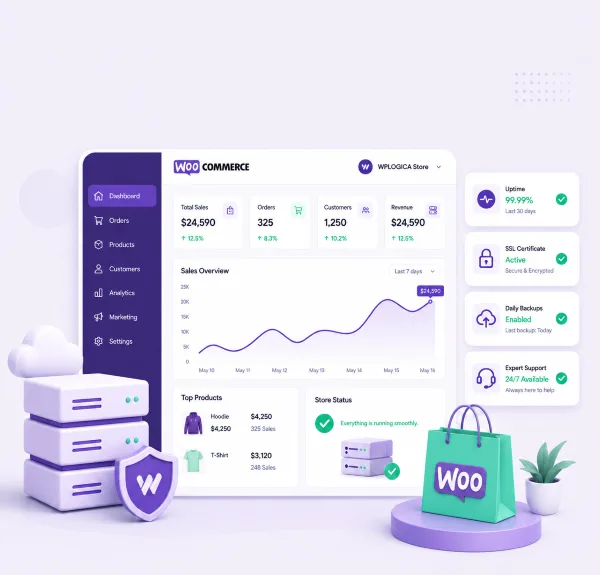
Quick Answer: Managed vs Unmanaged
Managed VPS means WPLogica runs the server — patching, hardening, backups, monitoring and support. Unmanaged VPS means you get root access and your team runs it. Same hardware, different division of labour.
When Businesses Move to a WordPress VPS
A VPS is not the right answer for every website. These are the situations where it earns its cost.
High-traffic websites
Publishers and content sites where sustained traffic makes a fixed plan’s limits bite. Dedicated CPU and memory keep response times steady through peaks instead of throttling when it matters most.
Busy WooCommerce stores
Carts and checkout cannot be cached the way a blog post can, so a store leans on the database and on real processing power. Cores and memory that stay yours make the difference under load.
Agencies and multi-site setups
Several client sites on one machine you control, with root access, a stack you standardise across projects, and the freedom to install whatever a build actually needs.
Frequently Asked Questions
A VPS is a virtual private server — an isolated portion of a physical machine with CPU cores, memory and storage allocated to you alone. WordPress VPS hosting is that server provisioned and tuned specifically to run WordPress, rather than a generic box you configure yourself.
On shared hosting your site draws from a pool used by hundreds of others, so a neighbour's traffic spike or badly written plugin can slow your site down. On a VPS the resources are reserved for you. Nobody else can consume them, and you can change the server configuration — which you cannot do on shared hosting.
Most business websites and blogs run comfortably on a managed plan. Consider a VPS when you have sustained high traffic, a busy WooCommerce store, custom server software to install, several sites you want on one machine, or you have already hit the limits of a fixed plan. If none of those apply, our managed WordPress hosting is the better value.
Both. With a managed VPS we provision, harden, patch, monitor and support the server for you. With an unmanaged VPS you get root and SSH access and your team owns the stack from handover onwards. You can start managed and move to root access later.
Yes, on unmanaged plans, and on managed plans by request. Root gives you full control over the operating system, the web server, PHP versions and anything else you need to install.
vCPU cores, RAM, NVMe SSD storage, bandwidth, data centre region, PHP version and the server stack. We size the server against your actual workload rather than selling you a fixed tier, so tell us your traffic and what the site does.
VPS pricing depends on the resources you need, so we quote per requirement rather than publishing fixed tiers. Send us your traffic figures, storage needs and whether you want it managed, and we will come back with a specification and a price.
Yes, free of charge. We move your files, database, themes, plugins and media, keep the current site live while the VPS is tested, then switch the domain over. Migrations are normally scheduled outside business hours.
The isolation helps — your files and processes are separated from other customers, so a compromise on somebody else's site cannot reach yours. But a VPS is only as secure as its configuration. On a managed VPS we handle hardening, patching and monitoring; on an unmanaged VPS that responsibility is yours.
Yes, and it is one of the most common reasons to move. Stores are database-heavy and checkout cannot be cached the way a blog post can, so dedicated CPU and memory make a real difference under load. See our WooCommerce hosting page if you want a managed plan built for stores instead.
Yes. CPU, memory and storage can be increased as your traffic grows, usually without rebuilding the server or moving the site again.
Need a server sized to your WordPress workload?
Tell us your traffic, your stack, and whether your team wants root access. We size the server to that, quote on it, and handle the migration free of charge.