
WordPress Cloud Hosting Support for Leading Cloud Platforms
WPLogica helps you set up, migrate, optimize, and manage WordPress websites on cloud platforms like AWS, Google Cloud, Microsoft Azure, DigitalOcean, Linode, Vultr, and more. Get expert WordPress cloud support without dealing with complex server setup on your own.
- Cloud setup
- Free migration
- Security support
- Expert management
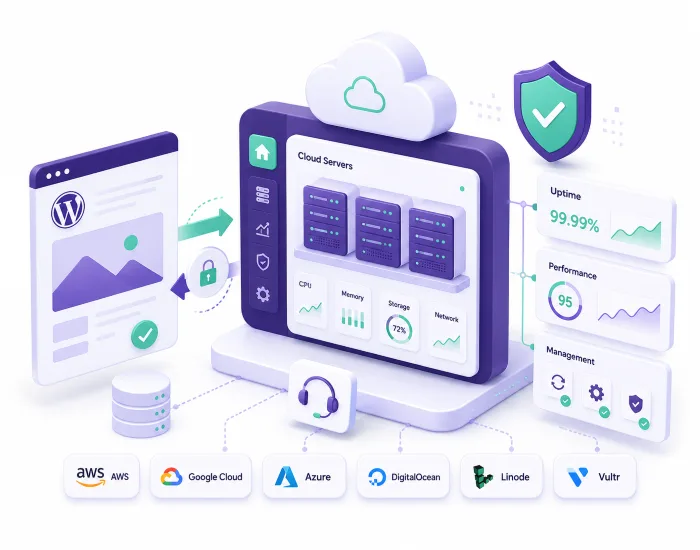
Cloud Platforms We Support
We run WordPress on your account with any of these. You keep the billing relationship; we handle the WordPress side.
Amazon Web Services (AWS)
EC2 and Lightsail instances, RDS, S3 and CloudFront, sized and tuned for WordPress.
Google Cloud
Compute Engine, Cloud SQL and Cloud CDN, with regions chosen for your audience.
Linode / Akamai Cloud
Shared and dedicated CPU instances on Akamai’s network, including the Chennai and Mumbai regions.
Microsoft Azure
Virtual Machines, Azure Database for MySQL and Azure CDN, for teams already standardised on Microsoft.
DigitalOcean
Droplets and managed databases — a straightforward, predictable option for smaller cloud builds.
Vultr
High-frequency compute and block storage across a wide set of regions.
What Is WordPress Cloud Hosting?
Cloud hosting runs your WordPress site on infrastructure you rent from a cloud platform — AWS, Google Cloud, Azure, DigitalOcean, Linode, Vultr — rather than on a fixed hosting plan. You pay the platform for what you use, and you can add or remove resources as traffic changes.
The catch is that a cloud platform hands you raw infrastructure, not a working WordPress site. Someone still has to choose the instance, build the stack, configure caching, set up backups, harden it and keep it patched. That is the part we do.
- Infrastructure you rent, scaled to demand
- You pay the cloud platform directly
- Needs someone to build and run the WordPress side

Quick Answer: Cloud Hosting Explained
WordPress cloud hosting means running your site on a cloud platform such as AWS, Google Cloud or DigitalOcean instead of a fixed hosting plan. It scales with demand, but the platform gives you infrastructure, not a managed WordPress site.
What WPLogica Does — and What We Don’t
We are not reselling cloud servers. Your cloud account stays yours — your billing relationship, your data, your control. We are the WordPress team that runs the site on top of it.
That covers choosing and sizing the instance, provisioning the stack, migrating your existing site across, configuring caching and CDN, SSL, backups, monitoring, security hardening and ongoing maintenance. If you would rather not hold a cloud account at all, our managed WordPress hosting plans include the server.
- Your cloud account, your billing, your data
- We provide the WordPress expertise on top
- No lock-in — nothing sits behind our account

Quick Answer: Whose Account Is It?
You keep your own cloud account and pay the platform directly. WPLogica provides the WordPress expertise on top — setup, migration, optimisation, security and ongoing management. Nothing is locked to us.
When Cloud Makes Sense — and When It Doesn’t
Cloud is worth it when traffic is unpredictable or seasonal, when you need a specific region for latency or data residency, when your build needs services the platform provides, or when your organisation already standardises on one cloud.
Cloud is usually not worth it for a brochure site or a small blog with steady traffic. Pay-as-you-go billing is harder to predict than a fixed monthly plan, and the flexibility costs you something in complexity. If your site is comfortable on a plan, staying on one is the cheaper and calmer answer.
- Good fit: variable traffic, regional needs, platform services
- Poor fit: small steady sites on a predictable budget
- Not sure? We will tell you if a plan is cheaper
Quick Answer: Do You Need Cloud?
Choose cloud for unpredictable traffic, regional requirements or platform services you actually use. Stay on a fixed plan for steady, modest traffic — it is cheaper and easier to budget.
Need a WordPress Cloud Engineer on your side?
Hire a dedicated engineer for setup, migration and ongoing support across AWS, Google Cloud, Azure, DigitalOcean, Linode and Vultr. Tell us what the work involves and we will come back with who we can put on it.
Frequently Asked Questions
It means running your WordPress site on cloud infrastructure — AWS, Google Cloud, Azure, DigitalOcean, Linode or Vultr — instead of on a fixed hosting plan. Resources scale with demand and you pay the platform for what you use.
No. We do not resell servers or mark up cloud bills. You hold your own account with the platform and pay them directly. We provide the WordPress work on top: choosing the instance, building the stack, migrating the site, and running it afterwards.
Amazon Web Services, Google Cloud, Microsoft Azure, DigitalOcean, Linode (now part of Akamai) and Vultr. We have detailed pages for AWS, Google Cloud and Linode.
Instance sizing and provisioning, the web server, PHP and database stack, WordPress installation and migration, caching and CDN, SSL, backups, monitoring, security hardening, and ongoing maintenance and support.
You do. The cloud account is in your name, the billing is yours, and the data sits in your infrastructure. If you ever stop working with us, nothing has to move — you simply keep the account.
Yes. We move files, database, themes, plugins and media, keep the current site live while the cloud environment is tested, then switch the domain over. Migrations are scheduled outside business hours to keep downtime to a minimum.
Often not, for a small site. Pay-as-you-go billing is harder to predict than a fixed monthly fee, and cloud adds operational complexity. Cloud wins on variable traffic, regional requirements and platform services. For a steady brochure site or blog, our managed WordPress hosting from ₹300 a month is usually the better deal, and we will say so.
It usually comes down to what your organisation already uses, which regions you need, and which managed services matter to you. If you have no existing preference, DigitalOcean or Linode are simpler and more predictable to run; AWS, Google Cloud and Azure give you more services and more complexity. Tell us the requirement and we will recommend one.
Yes. Load balancing, read replicas, CDN in front, and failover across regions are all achievable on these platforms. It is worth scoping properly — high availability adds real cost, so it should be a decision, not a default.
Yes. We will audit the existing setup first — stack, security, backups and performance — tell you what we find, then take over management or fix specific problems, whichever you need.
Tell us what the site does, roughly how much traffic it gets, and whether you already have a cloud account. We will recommend a platform and instance size, then handle the build and migration.
Yes. Alongside the maintenance plans, you can hire a dedicated WordPress Cloud Engineer who works on your cloud environment specifically — the same person each time, who knows your setup, your history and why things are configured the way they are. They handle AWS, Google Cloud, Azure, DigitalOcean, Linode and Vultr and the WordPress layer on top. Tell us what the work involves and we will come back with who we can put on it.
An AMC buys defined work on a schedule: updates, backups, monitoring, security checks, done every month whether or not you ask. A dedicated engineer buys availability and judgement — someone to make architecture decisions, run one-off projects, handle incidents and deal with anything that does not fit a checklist.
Most sites need the AMC. You want the engineer when the environment is complex enough that explaining it to a new person every time has become the bottleneck. Plenty of clients run both.
Running WordPress on the cloud, without running the servers?
Tell us the platform you use or are considering, and what the site needs to do. We will recommend a setup and handle the build and migration.