
We build, migrate and run WordPress on Vultr inside your own account, in the region closest to your visitors — Mumbai, Bangalore or Delhi NCR.
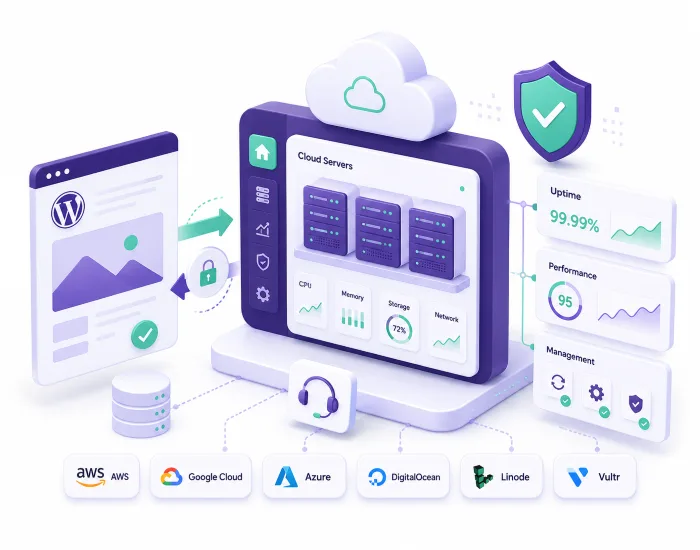
Instance type and region chosen for WordPress — High Frequency where page speed matters, shared where budget does.
Your existing site moved across with files, database and media intact, tested before cutover and switched outside business hours.
OS patching, PHP and stack updates, and security hardening kept current so the instance does not drift.
Annual Maintenance Contracts with snapshots and backups you can restore from, monitoring and a team to call.
Vultr is a cloud platform focused on compute performance and locations. Running WordPress on it means a Vultr instance — shared, high frequency or dedicated — in your own account, with a managed database and object storage alongside if the build needs them.
Its strongest card for Indian and Gulf audiences is geography. Mumbai, Bangalore and Delhi NCR are all Vultr regions, so the server can sit near the people using the site instead of in Singapore or Frankfurt.
Whether you need a new Vultr WordPress setup, an existing instance fixed, regular maintenance or an AMC, WPLogica handles the technical side of WordPress hosting on Vultr.
We plan and build a Vultr environment that runs WordPress properly: choosing the instance type and region, provisioning the web server and PHP stack, setting up Managed Databases, configuring caching and SSL, and wiring up backups and monitoring before anything goes live.
Instances run out of memory, SSL expires, databases refuse connections. We diagnose what actually happened rather than rebooting and hoping, fix the cause, and tell you plainly what it was.
OS patching, PHP and stack updates, WordPress core and plugin updates, backup and snapshot verification, and performance checks on a schedule.
An AMC covers the ongoing work: updates, monitoring, backups, security checks and a defined response time, billed predictably rather than per incident.
WordPress benefits more from clock speed than core count. We match the instance type to that, then tune caching, PHP-FPM and the database so you are not paying for hardware the software cannot use.
Annual Maintenance Contracts that keep your Vultr WordPress environment updated, monitored and backed up.
For small business and blog websites on Vultr.
For growing websites needing proactive care.
For online stores that must stay fast and online.
Hire a dedicated engineer for instance selection across Mumbai, Bangalore and Delhi NCR, Managed Databases and the WordPress work on top. Tell us what the environment needs to do and we will come back with who we can put on it.
Stuck with your Vultr instance or WordPress site? These are the things we get called about most.
Yes. WordPress runs on a Vultr Cloud Compute or High Frequency instance, usually with Vultr Managed Databases holding MySQL. Vultr gives you the server; the WordPress stack has to be built and maintained on top, which is the work we do.
Yes, and that is deliberate. The account is in your name and Vultr bills you directly. We do not resell or mark up your cloud bill. If you stop working with us, nothing has to move.
Yes — Mumbai, Bangalore and Delhi NCR. For a site whose visitors are mostly in India, that proximity does more for real-world speed than almost any other single change you can make.
Usually yes, if budget allows. WordPress spends most of its time on single-threaded PHP execution and database queries, so higher clock speeds and NVMe storage translate fairly directly into faster page generation. Extra cores help less than people expect.
A brochure site is comfortable on a small shared instance. A busy WooCommerce store needs more memory and dedicated resources, because checkout cannot be cached. We size against your actual traffic.
Managed Databases for anything that matters — patched, backed up and separately scalable. On very small sites, MySQL on the same instance is acceptable and cheaper.
Yes. We move files, database, themes, plugins and media, keep the current site live while the Vultr environment is tested, then switch the domain over. Migrations are scheduled outside business hours to keep downtime to a minimum.
They are close. DigitalOcean has a slightly broader managed-service catalogue and excellent documentation; Vultr has more locations, including Delhi NCR, and its high frequency instances are quick. If your audience is in northern India, Vultr usually wins on latency alone.
Probably not. Any cloud server adds operational overhead. If your traffic is modest and predictable, our managed WordPress hosting from ₹300 a month is cheaper and calmer, and we would rather tell you that than sell you a server.
Yes. Alongside the maintenance plans, you can hire a dedicated WordPress Cloud Engineer who works on your Vultr environment specifically — the same person each time, who knows your setup, your history and why things are configured the way they are. They handle Cloud Compute, High Frequency instances and Managed Databases and the WordPress layer on top. Tell us what the work involves and we will come back with who we can put on it.
An AMC buys defined work on a schedule: updates, backups, monitoring, security checks, done every month whether or not you ask. A dedicated engineer buys availability and judgement — someone to make architecture decisions, run one-off projects, handle incidents and deal with anything that does not fit a checklist.
Most sites need the AMC. You want the engineer when the environment is complex enough that explaining it to a new person every time has become the bottleneck. Plenty of clients run both.
WPLogica manages the technical side of WordPress hosting on Vultr, including speed optimisation, SSL, backups, monitoring, server maintenance and AMC support. Prefer a fully managed plan with fixed monthly pricing instead? See our managed WordPress Hosting plans.
Comparing platforms first? Our WordPress cloud hosting overview covers Vultr alongside the other platforms we support.
We pick the instance type and region, build the stack and move your existing site across, testing on Vultr while the current site stays live. The domain switches outside business hours.
Firewall rules, SSL, login hardening, patching and malware monitoring — configured for WordPress rather than a generic server.
Server-level caching, object caching, database tuning, image and asset optimisation, and region selection — measured, not guessed at.
Snapshots and off-server backups kept and tested, with monitoring and alerting on availability and resource pressure.
SBC 3, Third Floor, Tapasya Building,Infopark, Cochin, Kerala – 682030.
© 2026 WPLogica.com. All Rights Reserved.
WhatsApp us