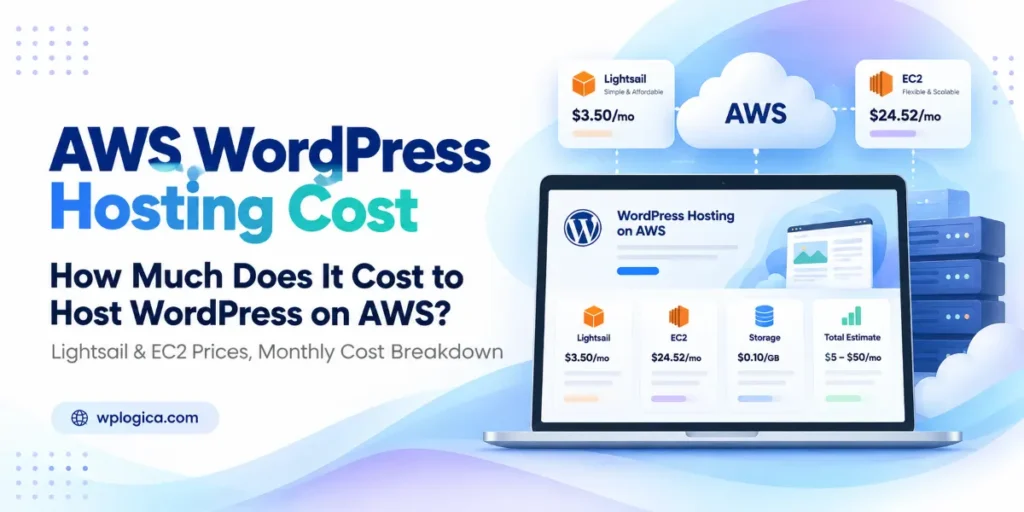
AWS doesn’t sell WordPress hosting at one fixed price. You pay separately for the server, storage, IP address, data transfer, backups and any extra services you add, so the same WordPress site can cost $8 a month or $200 a month depending on how it’s built.
This guide breaks down what hosting WordPress on AWS really costs in 2026: the line items on the bill, worked examples for real site types, the charges that surprise people, and how to keep the bill down.
Prices are AWS on-demand rates for the US East (N. Virginia) region, checked on 30 September 2026. AED figures use the fixed rate of AED 3.6725 to the US dollar. AWS prices change and vary by region, so confirm yours with the AWS Pricing Calculator before you deploy.
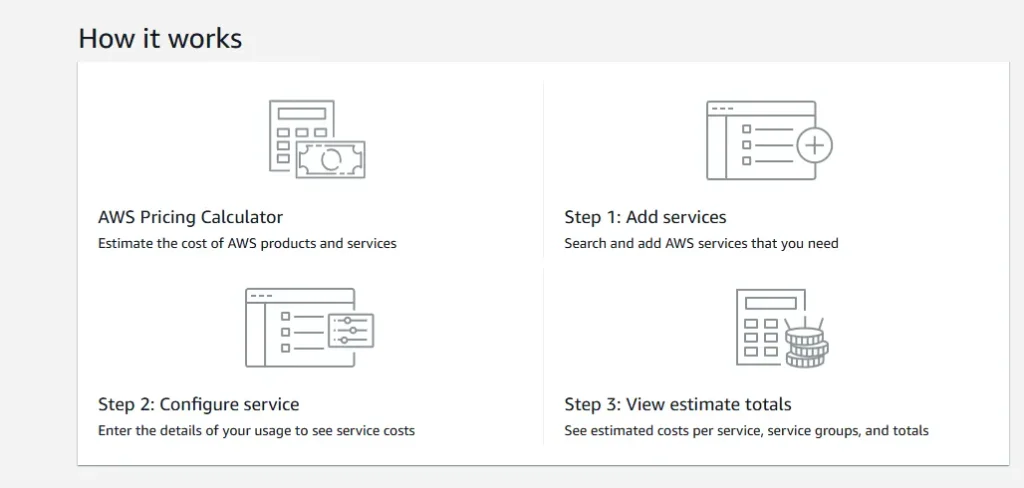
Table of Contents
Quick answer: what does WordPress on AWS cost per month?
Hosting WordPress on AWS typically costs $7–$12 a month on Lightsail for a small site, about $19–$34 a month on EC2, and $180 or more a month for a high-availability WooCommerce setup. The exact figure depends on server size, storage, traffic and which extra AWS services you add.
| Site type | Typical AWS setup | Approx. monthly cost |
|---|---|---|
| Small blog or brochure site | Lightsail 1 GB plan plus snapshots | $7–$9 (about AED 26–33) |
| Business site with several plugins | Lightsail 2 GB plan, snapshots and CDN | $15–$18 (about AED 55–66) |
| Small site on EC2 | t4g.small instance, 20 GB storage, public IPv4, snapshots, DNS | About $19 (about AED 70) |
| Growing site or small store | t4g.medium instance, 40 GB storage, public IPv4, snapshots, CloudFront | About $34 (about AED 125) |
| Busy WooCommerce store | Two t4g.large instances, load balancer, RDS database, shared storage, backups | $180–$200+ (about AED 660–735) |
These figures cover AWS infrastructure only. They don’t include the time or cost of setting up, securing, updating and supporting WordPress, which we cover further down.
What you actually pay for on AWS
Whichever route you choose, an AWS WordPress bill is made up of the same building blocks:
| Component | Typical price (US East) | Notes |
|---|---|---|
| Server (EC2 instance) | t4g.small: $0.0168/hour (about $12.26/month) | Billed per second while running. Graviton (t4g) instances cost less than equivalent Intel ones. |
| Disk storage (EBS gp3) | $0.08 per GB per month | 20 GB is enough for most small sites; 40–60 GB for larger media libraries. |
| Public IPv4 address | $0.005/hour (about $3.65/month) | Charged for every public IPv4 address, including Elastic IPs that aren’t attached to anything. |
| Data transfer out | First 100 GB/month free, then about $0.09 per GB | Traffic served through CloudFront is billed under CloudFront instead. |
| CloudFront CDN | Free for the first 1 TB of transfer each month | Usually lowers the bill because it takes load and transfer off the server. |
| Snapshots and backups | $0.05 per GB per month | EBS snapshots are incremental, so repeated backups cost less than a full copy each time. |
| Route 53 DNS | $0.50 per hosted zone per month | Plus a very small per-query charge. |
| Managed database (RDS for MySQL) | db.t4g.micro: $0.016/hour (about $11.68/month) plus $0.115 per GB storage | Optional. Most small sites run the database on the same server. |
Amazon Lightsail wraps most of these into a single monthly price, which is why it’s the cheaper and more predictable option for small sites.
Amazon Lightsail costs for WordPress
Lightsail plans include the server, SSD storage, a data transfer allowance and a static IP address for one fixed monthly price. AWS offers a ready-made WordPress blueprint, so you can launch a site in a few clicks. Current Linux plans with a public IPv4 address:
| Monthly price | Memory | vCPUs | SSD | Transfer | Good for |
|---|---|---|---|---|---|
| $5 | 0.5 GB | 2 | 20 GB | 1 TB | Testing only; too little memory for most live sites |
| $7 | 1 GB | 2 | 40 GB | 2 TB | Small blogs and brochure sites |
| $12 | 2 GB | 2 | 60 GB | 3 TB | Business sites with page builders and several plugins |
| $24 | 4 GB | 2 | 80 GB | 4 TB | Busier sites and small WooCommerce stores |
| $44 | 8 GB | 2 | 160 GB | 5 TB | Larger stores and membership sites |
Extras to budget for on Lightsail:
- Snapshots: $0.05 per GB per month. A snapshot of a 40 GB disk costs up to $2 a month, so keep only the ones you need.
- CDN distribution: from $2.50 a month.
- Object storage bucket for media: from $1 a month.
- Managed database: from $15 a month, if you want the database off the server.
- Transfer overage: about $0.09 per GB in most regions once you exceed the plan’s allowance.
New Lightsail users currently get three months free on the $5, $7 and $12 plans. Plans in the Mumbai, Sydney and Jakarta regions include half the data transfer listed above.
Amazon EC2 costs for WordPress: worked examples
EC2 bills each component separately. That makes it more flexible, and more work to estimate. Here’s what two common setups add up to over a 730-hour month.
Small site on EC2: about $19 a month
| Item | Monthly cost |
|---|---|
| t4g.small instance (2 vCPU, 2 GB) | $12.26 |
| 20 GB gp3 storage | $1.60 |
| Public IPv4 address | $3.65 |
| Snapshots (incremental) | About $1.00 |
| Route 53 hosted zone | $0.50 |
| Total | About $19 (AED 70) |
Growing site on EC2: about $34 a month
| Item | Monthly cost |
|---|---|
| t4g.medium instance (2 vCPU, 4 GB) | $24.53 |
| 40 GB gp3 storage | $3.20 |
| Public IPv4 address | $3.65 |
| Snapshots | About $2.00 |
| Route 53 hosted zone | $0.50 |
| CloudFront CDN (within free 1 TB) | $0 |
| Total | About $34 (AED 125) |
Compare the first example with Lightsail: a 2 GB Lightsail plan is $12 with more storage and 3 TB of transfer included, while the same memory on EC2 is about $19. For a single small site, Lightsail is usually better value. EC2 starts to make sense when you need to resize freely, separate the database, scale across servers or use Savings Plans.
WooCommerce and high-traffic setups: $180 and up
A store that can’t afford downtime usually runs on more than one server, with the database and media stored separately so either server can handle any request. A typical starting point:
| Item | Approx. monthly cost |
|---|---|
| Two t4g.large instances (2 vCPU, 8 GB each) | $98 |
| Storage for both servers (2 × 30 GB gp3) | $5 |
| Application Load Balancer (hourly charge plus usage) | About $22 |
| Load balancer public IPv4 addresses (two zones) | About $7 |
| RDS for MySQL, db.t4g.medium, 50 GB | About $53 |
| Shared file storage for uploads (EFS) | About $3 |
| Backups and snapshots | About $5 |
| CloudFront CDN (within free 1 TB) | $0 |
| Total | Roughly $180–$200 (AED 660–735) |
Making the database Multi-AZ, so it fails over automatically, roughly doubles the database line. Bigger instances, more storage and traffic beyond the free tiers push the total higher. See our WooCommerce hosting page if you’d rather not build this yourself.
Hidden costs that surprise people
- Public IPv4 addresses. Since 2024, AWS charges for every public IPv4 address, including unattached Elastic IPs. It’s about $3.65 per address per month.
- Data transfer. After the first 100 GB a month, outbound traffic costs around $0.09 per GB. A site with heavy images or video downloads can see this line grow fast.
- CPU credits. T-family instances run in Unlimited mode by default. If a t4g instance averages above its baseline CPU, AWS charges $0.04 per vCPU-hour for the extra, which can happen during traffic spikes, bot attacks or runaway cron jobs.
- Snapshots piling up. Automated backups without a retention rule quietly add up month after month.
- Stopped isn’t free. A stopped EC2 instance doesn’t charge for compute, but its disks and any Elastic IP still bill.
- NAT Gateways. Some “best practice” templates put servers in private subnets behind a NAT Gateway, which has a significant hourly charge on its own. It’s rarely needed for a single WordPress site.
- Old database versions. Running RDS on a MySQL version past its community end of life triggers RDS Extended Support charges per vCPU-hour.
Can you host WordPress on AWS for free?
Only for a short trial. AWS replaced its 12-month free tier for accounts created on or after 15 July 2025. New customers now get $100 in credits at sign-up and can earn up to $100 more, and the Free plan ends after six months or when the credits run out, whichever comes first. If you don’t upgrade to a paid plan, AWS closes the account. That’s fine for testing, but never run a live business site on a Free-plan account.
Separately, Lightsail’s three-months-free offer on its $5, $7 and $12 plans is a practical way to trial WordPress on AWS before paying.
Does the AWS region change the price?
Yes. The same instance can cost more in some regions than in US East, and data transfer allowances differ too. Lightsail plans in Mumbai, for example, include half the transfer of the same plans elsewhere. Choose the region closest to most of your visitors for speed, then price it in the calculator. For visitors in the UAE and wider Gulf, AWS has Middle East regions in the UAE and Bahrain, alongside Mumbai and Europe. If your business is in the UAE, see our WordPress hosting and support in Dubai. Put CloudFront in front of the site and the server location matters less for page speed.
How to reduce your AWS WordPress bill
- Start on Lightsail for a single small or medium site. Move to EC2 only when you need what it offers.
- Choose Graviton (t4g) instances. They typically cost less than equivalent Intel instances and run WordPress well.
- Right-size. Check CPU and memory use in CloudWatch after a month and drop down a size if the server is mostly idle.
- Use full-page caching and CloudFront. Cached pages use less CPU, and CloudFront’s free 1 TB covers most small and medium sites’ transfer.
- Offload media to S3 or Lightsail object storage when your library is large, so you don’t pay for oversized server disks.
- Commit when you’re stable. Savings Plans for EC2 and Reserved Instances for RDS cut the price significantly in exchange for a one- or three-year commitment.
- Set a budget alert in AWS Budgets, so an unusual bill shows up in days, not at month end.
- Clean up old snapshots, unattached Elastic IPs and test servers every month.
The cost the AWS bill doesn’t show: management
AWS provides infrastructure, not WordPress care. Nobody on the AWS side will update your plugins, harden the server, check that backups restore, or fix the site at 2 a.m. That work still has to be done, by your team or through a WordPress maintenance plan.
| Option | Monthly cost | Who manages WordPress |
|---|---|---|
| Lightsail, self-managed | $7–$24 plus your time | You: updates, security, backups, troubleshooting |
| EC2, self-managed | About $19–$40 for small sites; $180+ for busy stores | You, plus server administration |
| AWS with WPLogica support | Your AWS bill plus a support plan | We handle setup, migration, updates, monitoring, security and backups. See WordPress hosting on AWS |
| Managed WordPress hosting | One fixed price | The host. See managed WordPress hosting |
If you’re still deciding whether AWS is the right fit at all, read Is AWS good for WordPress hosting? for the pros, limitations and who it suits. To compare options side by side, see our WordPress hosting plans comparison or our guide to the best WordPress hosting in 2026.
How to estimate your own AWS cost
- Check your current usage: monthly visitors, bandwidth used, disk space and database size. Your current host’s control panel usually shows this.
- Pick a starting size. Most brochure sites run well on 1–2 GB of memory; WooCommerce and membership sites usually need 4 GB or more.
- Add storage at 1.5 to 2 times your current site size to leave room for growth and updates.
- Estimate transfer: monthly bandwidth minus what CloudFront will serve.
- Add backups, DNS and, if needed, a managed database.
- Enter it all in the AWS Pricing Calculator for your chosen region, then add 10–20% as a buffer for the first few months.
If you are budgeting for the whole website rather than just hosting, our guide to how much a WordPress website costs covers design, development, themes, plugins and maintenance.
Frequently asked questions
How much does it cost to host WordPress on AWS?
Most small WordPress sites cost $7–$12 a month on Amazon Lightsail, or about $19–$34 a month on EC2 once storage, a public IP address, backups and DNS are added. A busy WooCommerce store with two servers, a load balancer and a managed database typically starts around $180–$200 a month.
Is Lightsail cheaper than EC2 for WordPress?
For a single small or medium site, usually yes. Lightsail’s price already includes a static IP, generous data transfer and more storage than an EC2 setup at the same cost. EC2 becomes better value when you need fine-grained scaling, a separate database, multiple servers or long-term Savings Plans.
How much does it cost to run WooCommerce on AWS?
A small store can run on a 4 GB Lightsail plan at $24 a month or an EC2 t4g.medium setup at about $34 a month. A busy store with two servers, a load balancer and a managed database typically starts around $180–$200 a month.
Is there a free tier for WordPress on AWS?
Only for a short trial. New AWS accounts get up to $200 in credits on the Free plan, which ends after six months or when the credits run out. Lightsail also offers three months free on its $5, $7 and $12 plans. Neither is meant for a live business site.
Why is my AWS bill higher than I expected?
The usual causes are public IPv4 charges, data transfer beyond the free allowance, CPU credit charges on burstable instances, accumulated snapshots and resources left running after testing. AWS Cost Explorer shows exactly which service and line item is responsible.
Is AWS cheaper than managed WordPress hosting?
On infrastructure alone, AWS can be cheaper, especially on Lightsail. Once you add the time or cost of updates, security, backups and support, managed hosting is often the better value for small business sites. AWS pays off when you need control, scale or integration with other AWS services.
Can I host WordPress on AWS for visitors in the UAE?
Yes. AWS has a Middle East (UAE) region and a Bahrain region, so EC2 servers can run close to Gulf visitors. Lightsail is available in fewer regions and doesn’t currently include the Middle East, so Lightsail sites for Gulf audiences usually run from Mumbai or Europe with CloudFront in front.
Need help planning your AWS setup?
We size, set up, migrate and maintain WordPress and WooCommerce sites on Lightsail and EC2, and we can review an existing AWS bill for savings. Moving from another host? Our WordPress migration service handles the move with minimal downtime. Talk to our team about your site.