Most websites in the UAE are built in English first, with Arabic added later or not at all. That works until a customer lands on your site expecting Arabic, your checkout breaks when the layout flips, or a lawyer points out that your product terms should have been in Arabic all along.
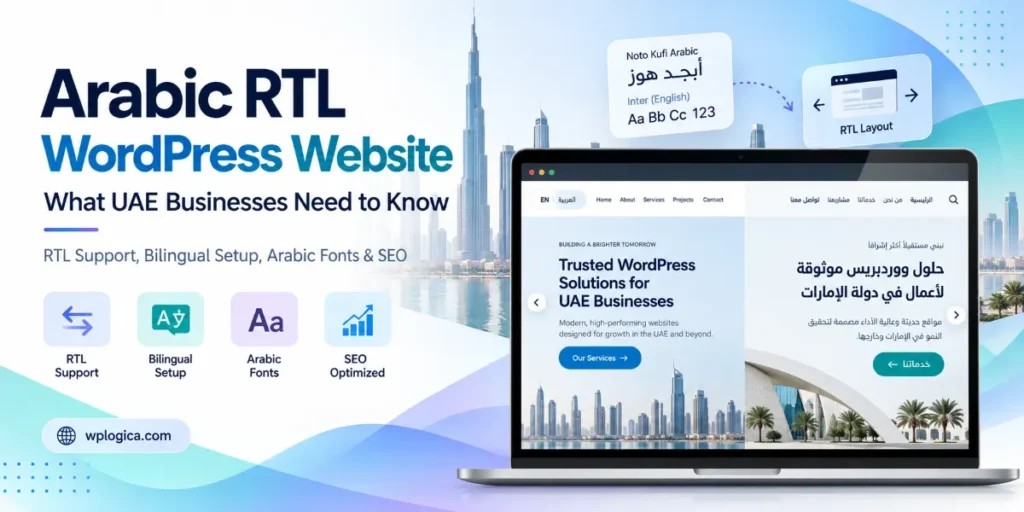
To build an Arabic RTL WordPress Websiteproperly, you need four things: a theme that supports right-to-left (RTL) layouts, a multilingual setup that gives each language its own URL, Arabic text written or reviewed by a native speaker, and a check of which of your content UAE consumer law expects to see in Arabic. WordPress handles the basics of RTL out of the box. Most of the problems come from themes, plugins, fonts and shortcuts in translation.
This guide walks through each of those, with the practical details that usually get missed.
Table of Contents
Why Arabic matters for websites in the UAE
The UAE is about as connected as a country can be. DataReportal counted 11.1 million internet users in January 2025, a 99% penetration rate. English dominates business and the large expat population, but Arabic is the national language and the one Emirati and wider Arab customers trust most.
There is also a quality gap you can use. A 2025 survey by Ipsos and the Abu Dhabi Arabic Language Centre of 4,092 young people across ten Arab countries, including the UAE, found that 71% prefer Arabic-language media, yet 67% find it outdated compared with English content. In other words, people want Arabic, but much of what they find is weak. A well-designed, well-written Arabic version of your site stands out for that reason alone.
Estimates of how much of the web is in Arabic vary, from under 1% to around 3% depending on the source and year. Whatever the exact figure, it is small compared with the number of Arabic speakers, which means less competition for Arabic search terms than for the English equivalents.
Benefits of an Arabic/RTL WordPress website
Adding Arabic is more than a translation exercise. Done well, it changes who can buy from you and how they see your business.
- You reach customers in the language they prefer. Arabic speakers can read about your services, compare options and contact you without switching languages, which removes a quiet reason people leave a site.
- You build trust with Emirati and Arab customers. A properly designed Arabic site signals that you take the local market seriously. That matters for government and semi-government buyers, family businesses and anyone choosing between you and a competitor who only offers English.
- You compete in a less crowded search space. Far fewer businesses target Arabic search terms well than English ones, so a solid Arabic version can rank for queries your competitors have ignored.
- You cover Arabic-language requirements. If you sell to consumers, having product information, terms and invoices in Arabic is part of staying on the right side of UAE consumer rules.
- One site serves the wider region. Content written in Modern Standard Arabic is understood across the GCC and beyond, so the same Arabic pages can support growth into Saudi Arabia, Qatar, Oman and other markets.
- WordPress makes it manageable. RTL support and a full Arabic translation are built into WordPress core, mature plugins handle multiple languages, and your team manages both versions from one dashboard instead of running two separate websites.
When Arabic is a legal requirement, not a nice-to-have
If you sell goods or services to consumers in the UAE, Arabic is not purely a marketing decision. The UAE Consumer Protection Law and its Executive Regulations, which took effect in October 2023, require most information given to consumers to be in Arabic, including invoices, product information, advertisements, and contract and warranty terms. You can add English or any other language alongside it.
For a website, that typically affects:
- Product and service information on shop and pricing pages
- Terms and conditions, refund and warranty policies
- Invoices and order emails sent by WooCommerce or your booking system
- Advertising and promotional content, including landing pages for campaigns
Fines for missing Arabic invoices or warranty terms are set in the Executive Regulations and can be substantial, so it pays to map out which of your pages and documents need an Arabic version before launch rather than after.
Arabic-only, English-only or bilingual?
For most UAE businesses the answer is bilingual, but the right split depends on who buys from you.
| Setup | Works best for | Watch out for |
|---|---|---|
| English only | B2B firms with mainly expat or international clients | Legal gaps if you sell to consumers; lost Arabic search traffic |
| Arabic only | Businesses serving mainly Emirati or wider Arab customers | Cuts off a large English-speaking audience in the UAE |
| Bilingual (Arabic + English) | Retail, real estate, healthcare, education, government suppliers, e-commerce | Double the content to maintain; both versions must stay in sync |
If you go bilingual, decide early which language is the default. Many UAE sites default to English with Arabic one click away, but if most of your customers are Arabic speakers, making Arabic the default is a reasonable choice.
How RTL works in WordPress
WordPress supports Arabic and right-to-left layouts in its core. When you set Settings > General > Site Language to Arabic, the admin dashboard flips automatically and WordPress tells your theme to load its RTL stylesheet. What happens on the public site depends almost entirely on the theme.
- Check for RTL support before choosing a theme. Themes in the WordPress.org directory that support Arabic carry the
rtl-language-supporttag, and usually ship anrtl.cssorstyle-rtl.cssfile. - Page builders need checking too. Elementor switches to RTL when the site or page language is RTL, but third-party widget add-ons are hit and miss. Test every widget you use in the Arabic version.
- Plugins can break the layout. Sliders, pop-ups, mega menus and form plugins are the usual culprits. If one does not support RTL, its styles can be overridden with targeted CSS.
- Use CSS logical properties for custom code. Writing
margin-inline-startinstead ofmargin-leftmeans the same rule works in both directions, so you maintain one stylesheet instead of two.
On a bilingual site, the dir="rtl" and lang="ar" attributes must switch per language, not just site-wide. Good multilingual plugins handle this, but it is worth checking in the page source.
Choosing a multilingual setup
WordPress does not run two languages on its own. You need either a multilingual plugin or a multisite network. The common options are WPML, Polylang and TranslatePress, all of which support Arabic and RTL.
Whichever you choose, get the structure right:
- Give each language its own URL. A subfolder such as
example.ae/ar/is the simplest to manage and keeps all your domain authority in one place. Google recommends separate URLs for each language rather than switching language with cookies or scripts on the same URL. - Add hreflang tags so Google shows the Arabic page to Arabic searchers and the English page to English searchers. Most multilingual plugins generate these; values such as
ar-AEanden-AEtarget the UAE specifically. - Do not auto-redirect visitors based on browser language or location. Show a clear language switcher instead. Automatic redirects can stop Google from crawling one of your versions and annoy users who prefer the other language.
- Translate the whole page, including menus, buttons, form labels, error messages and the footer. A page with Arabic body text and English navigation feels unfinished.
Arabic fonts and typography
Fonts are where many Arabic sites look amateurish. A font built for Latin text will either fall back to a system Arabic font or render poorly.
- Pick a font designed for Arabic. Free options on Google Fonts include Noto Kufi Arabic, Noto Naskh Arabic, IBM Plex Sans Arabic, Cairo and Tajawal. Choose one with a matching Latin style so English words inside Arabic text do not look out of place.
- Increase line height. Arabic script has tall ascenders and deep descenders, so it usually needs more line spacing than English.
- Never add letter-spacing to Arabic text. Arabic letters join together, and letter-spacing breaks the connections.
- Avoid italics. Arabic has no true italic; browsers fake it by slanting the letters, which looks wrong. Use bold or colour for emphasis.
- Load only the weights you need. Arabic font files are larger than Latin ones, so loading every weight slows the site down.
Common RTL problems to test for
These are the issues that most often slip through to a live Arabic site:
- Icons and arrows pointing the wrong way. “Next” arrows, breadcrumbs and slider controls need to be mirrored. Logos, play buttons and clocks should not be.
- Mixed Arabic and English text. Brand names, email addresses, URLs and phone numbers inside Arabic sentences can jump to the wrong position. Wrap them in a
<bdi>tag or set them to left-to-right. - Form fields. Email, phone and website fields should stay left-to-right even on the Arabic version, while name and message fields should be right-to-left.
- Numbers. Decide whether to use Western digits (0–9) or Eastern Arabic digits (٠–٩) and use them consistently, including prices and phone numbers.
- Emails and PDFs. WooCommerce order emails and PDF invoices often lack Arabic fonts and show boxes instead of letters. Test a real order on the Arabic version.
- Mobile menus. Off-canvas menus should slide in from the right on the Arabic site.
Arabic SEO: what changes
An Arabic version only brings in search traffic if it is written for Arabic searchers, not just converted from English.
- Do keyword research in Arabic. People in the UAE search in Arabic, in English, and sometimes in a mix of the two. Arabic searchers often use different terms from a direct translation of your English keywords.
- Use native writers or reviewers. Raw machine translation reads badly and loses customers. Publishing large amounts of unreviewed auto-translated pages can also fall under Google’s spam policies on scaled content.
- Write unique Arabic titles and meta descriptions for every page. Do not leave the English ones in place on Arabic URLs.
- Decide on URL slugs. Arabic slugs are readable to Arabic users but appear as long encoded strings when copied and shared. Short English or transliterated slugs are a common, practical compromise.
- Add structured data in both languages. Your organisation, product and FAQ details should appear in Arabic on the Arabic pages, not only in English.
For answer engines and AI search tools, the same rule applies as in English: answer the question clearly near the top of the page, use plain headings that match how people ask, and keep facts such as prices, hours and service areas consistent across both languages.
Arabic WooCommerce stores
An online shop has more to get right than a brochure site, because customers move through carts, checkouts and emails where a broken layout costs sales.
- Make sure the checkout, cart and account pages are fully translated, including validation and error messages.
- Show prices in AED with clear VAT information, as UAE VAT is charged at 5%.
- Check that invoices and order confirmation emails are generated in Arabic, with a font that renders correctly.
- Confirm that your payment gateway’s hosted pages offer an Arabic option, or at least do not break when the store is in Arabic.
- Translate product attributes, variations and shipping methods, which plugins often leave in English.
Arabic WordPress website launch checklist
- Theme and page builder tested in RTL on desktop and mobile
- Every plugin checked on the Arabic version, especially forms, sliders and menus
- Separate URL for each language, with hreflang tags in place
- Language switcher visible on every page, with no automatic redirects
- Arabic font loaded, with suitable line height and no letter-spacing
- Menus, buttons, forms, footer and error messages all translated
- Arabic text written or reviewed by a native speaker
- Unique Arabic SEO titles and meta descriptions
- Consumer-facing terms, policies and invoices available in Arabic
- Test orders and contact form submissions sent and received in Arabic
For the wider budget, including hosting, themes, plugins, development and maintenance, see how much a WordPress website costs.
Frequently asked questions
Does WordPress support Arabic?
Yes. WordPress has a full Arabic translation and built-in right-to-left support. Setting the site language to Arabic switches the dashboard to RTL straight away, but the front end only displays correctly if your theme and plugins support RTL.
How do I make my WordPress theme RTL?
Choose a theme that already supports RTL, shown by the rtl-language-support tag in the WordPress.org directory. If your current theme does not, a developer can add an rtl.css stylesheet that mirrors the layout, then fix any plugins that do not follow it.
Is an Arabic website legally required in the UAE?
Not for every business. The UAE Consumer Protection Law requires information given to consumers, such as invoices, product details, advertising and warranty terms, to be in Arabic, with other languages allowed alongside. Businesses selling to consumers, especially online shops, are the most affected.
Can I use Google Translate for the Arabic version of my site?
It is fine as a first draft, but a native speaker should review everything before it goes live. Unreviewed machine translation reads poorly to customers, and publishing it at scale can conflict with Google’s spam policies.
Which multilingual plugin is best for Arabic?
WPML, Polylang and TranslatePress all support Arabic and RTL. WPML suits larger sites and WooCommerce stores, Polylang is lighter and has a capable free version, and TranslatePress lets you translate visually on the page. The right choice depends on site size, budget and who will manage translations.
How much more does a bilingual Arabic and English website cost?
It usually costs more than an English-only site because of RTL design and testing, a multilingual plugin licence and professional translation. The difference depends on page count and how much of the design needs adjusting for RTL.
Getting your Arabic website built
An Arabic WordPress site is not difficult, but it does reward doing things in the right order: pick an RTL-ready theme, set up the multilingual structure, then translate and test. Fixing RTL problems after launch usually costs more than planning for them.
WPLogica builds bilingual Arabic and English WordPress and WooCommerce sites, including RTL theme work and UAE payment gateway integration. If you are planning one, see our WordPress development services in Dubai or read more about our WooCommerce development and Elementor website development.