If you’ve set up a pipe in a Contact Form 7 dropdown — something like "Sales|sales@yourdomain.com" — inspected the page, and seen the label sitting in the option value instead of the address, you’ve probably concluded the pipe is broken.
It isn’t. In almost every case, the pipe is working exactly as designed, and the thing you’re looking at is the feature doing its job. This post explains what’s really happening, shows you how to prove the pipe works in under a minute, and gives you the correct Mail tab configuration.
Table of Contents
The quick answer
A Contact Form 7 pipe does not put the after-pipe value into the visible page HTML. It leaves the before-pipe label in the front end (and in the <option value>), and only swaps in the after-pipe value when Contact Form 7 builds the email. So seeing value="Sales" in the page source is correct behaviour — not a bug. To see the after-pipe value, check the received email, not the page source.
The syntax of a single piped option follows one shape: the visible label, then a pipe character, then the hidden data value — "label|value". Pipes are only available on choice fields: dropdowns, radio buttons, and checkboxes.
What people think is broken
Here’s the setup that triggers the confusion. You write a dropdown like this in the form template:
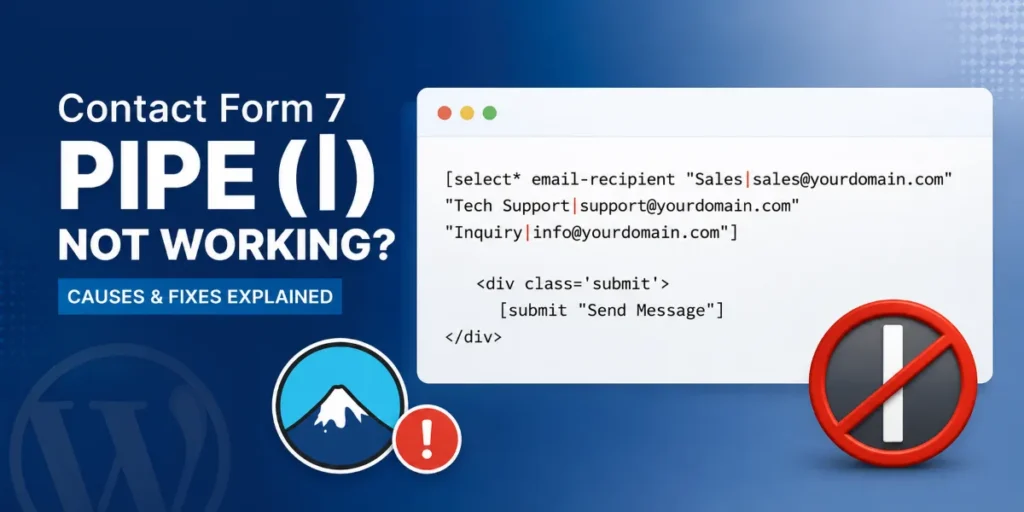
[select* email-recipient "Sales|sales@yourdomain.com" "Tech Support|support@yourdomain.com" "Inquiry|info@yourdomain.com"]You expect the dropdown to submit the email address. So you open the rendered page, inspect the dropdown, and find this:
html
<option value="Sales">Sales</option>
<option value="Tech Support">Tech Support</option>
<option value="Inquiry">Inquiry</option>
The value says Sales, not sales@yourdomain.com. No pipe character anywhere. Naturally, it looks like the pipe was ignored.
What’s actually happening
Contact Form 7 pipes are built around one deliberate rule: the text before the pipe is public, and the text after the pipe is private.
- Before the pipe (
Sales) → shown to the visitor and written into the HTMLvalueattribute. This is meant to be visible. - After the pipe (
sales@yourdomain.com) → held back and used only during mail processing, on the server, when the form is submitted.
The whole reason the feature exists is to keep the email address out of the page source. If the address appeared in the HTML, spam bots would scrape it in seconds. So Contact Form 7 intentionally hides it. When you inspect the page and see the label as the value, that’s the feature protecting the address — working perfectly, not failing.
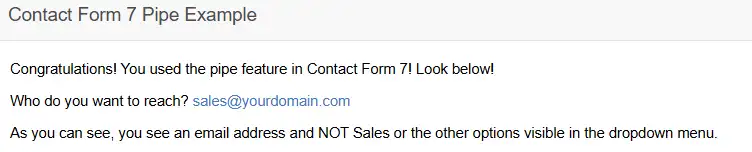
The after-pipe value never appears in the front end. It only surfaces in one place: the email.
Prove it works in under a minute
You don’t need a test suite or a live recipient to confirm the pipe works. You just need one test submission and a temporary tweak to the Mail tab.
Contact Form 7 gives you two mail-tags for a piped field:
[email-recipient]→ returns the after-pipe value (the address)[_raw_email-recipient]→ returns the before-pipe value (the label)
Add both to the message body in the Mail tab, temporarily, so you can see them side by side:
Selected department (before pipe): [_raw_email-recipient]
Routed to (after pipe): [email-recipient]
Now submit the form once, choosing “Sales”. The email you receive will show:
Selected department (before pipe): Sales
Routed to (after pipe): sales@yourdomain.com
There it is. The before-pipe label and the after-pipe address, resolved separately, both correct. The pipe was working the whole time — the page source was simply the wrong place to check.

Once you’ve confirmed it, remove the temporary [_raw_...] line from the Mail tab.
The correct Mail tab configuration
For a selectable-recipient form — where the visitor’s choice decides who gets the email — configure the Mail tab like this:
To
[email-recipient]This is what makes the routing happen. Pick “Sales”, and the email goes to sales@yourdomain.com. If you leave [email-recipient] only in the message body and not in the To field, you’re merely recording the choice, not routing to it — a common mix-up.
From
WPLogica <wordpress@yourdomain.com>Use an address on your own domain. Do not put [your-email] here. Sending “from” the visitor’s address fails SPF and DKIM checks and lands your form mail in spam.
Reply-To
[your-email]This is where the visitor’s address belongs. Hit reply in your inbox and it goes back to them, while the envelope stays domain-authenticated.
Subject
New enquiry — [_raw_email-recipient] departmentUsing [_raw_email-recipient] here gives you the readable label (“Sales”) in the subject line rather than the raw address.
Message body
Name: [your-name]
Email: [your-email]
Phone: [your-phone]
Department: [_raw_email-recipient]
Message: [your-message]
With this setup, the address routes the mail invisibly while your team sees the friendly department name.
Frequently asked questions
Why does the option value show the label instead of the piped value?
Because that’s the intended behaviour. Contact Form 7 keeps the before-pipe text in the visible HTML and reserves the after-pipe value for mail processing. Seeing the label in the value attribute means the pipe is working, not broken.
Where does the after-pipe value actually appear?
Only in the email, via the standard mail-tag (for example [email-recipient]). It never appears in the page source, which is the entire point of the feature.
Do I need to enable pipes?
No. Pipe support is on by default. It’s only disabled if someone has explicitly defined the constant WPCF7_USE_PIPE as false in the theme or configuration — worth checking only if a genuine test email proves the after-pipe value isn’t resolving.
How do I get the label instead of the value in the email?
Use the raw mail-tag: [_raw_email-recipient] returns the before-pipe text, while [email-recipient] returns the after-pipe value.
Further reading
The official Contact Form 7 documentation on selectable recipients with pipes is the authoritative reference for the feature and confirms the before-pipe / after-pipe split described here. Brandon Coppernoll’s how-to on Contact Form 7 pipes is a good short walkthrough of the basic setup. This post picks up where both stop — the moment the pipe looks broken in the page source, and how to prove it’s actually working.