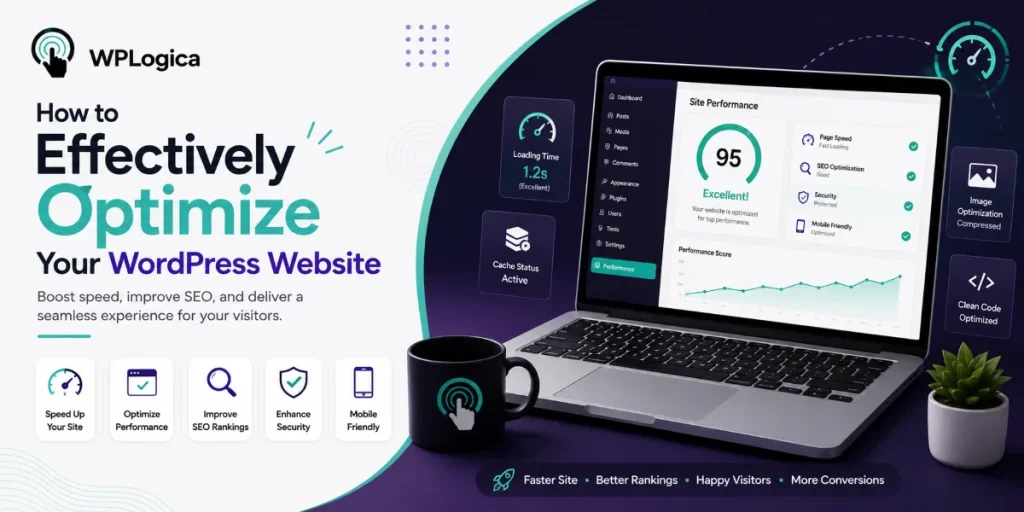
In today’s digital world, simply having an online presence is no longer enough. Businesses must ensure their websites are fast, user-friendly, and optimized for search engines. Regular WordPress optimization plays a crucial role in improving website speed, enhancing user experience, and achieving better Google rankings.
Many website owners focus only on website maintenance, but professional WordPress optimization involves much more. This includes performance improvements, technical updates, image optimization, security enhancements, and SEO adjustments. An experienced WordPress agency will recommend a range of strategies to sustainably improve your website’s performance and online visibility.
The most important optimization measures include:
Table of Contents
We will discuss these points in detail below.
Choosing the Right WordPress Theme
Choosing the right WordPress theme is one of the most important steps in website optimization. A theme influences not only the design of your website but also its usability, performance, and SEO.
When selecting a theme, you should pay close attention to the following factors:
1. Speed
A good theme should be lightweight and cleanly coded, without unnecessary animations or overloaded features. Fast loading times are essential, as slow websites often lead to higher bounce rates.
2. Responsive Design
Your theme should work flawlessly on all devices, including smartphones, tablets, and desktop computers. A responsive design improves the user experience and positively impacts Google rankings.
3. Customization Options
A customized design helps present your brand professionally. Modern WordPress themes offer numerous customization options, allowing you to easily modify colors, layouts, and content. Both free and premium themes provide a wide range of possibilities.
4. SEO Friendliness
An SEO-friendly theme includes clean code, fast loading speeds, and a well-structured layout. This helps search engines better understand and index your content.
Install a WordPress Caching Plugin
Caching plugins significantly improve your website’s speed by storing static versions of your pages, allowing content to load faster for visitors.
Instead of generating a page from scratch every time someone visits your website, the cached version is served instantly. This reduces server load and greatly improves performance.
Popular WordPress caching plugins include:
- WP Rocket
- W3 Total Cache
- LiteSpeed Cache
The best solution depends on your website requirements and hosting provider.
Optimize WordPress Images
Large image and media files are among the most common causes of slow websites. Therefore, image optimization is an essential part of any WordPress optimization strategy.
Always upload images in the correct format and dimensions. Compress large files to reduce loading times without compromising image quality. Using modern formats such as WebP can also improve website performance.
Popular tools for image optimization include:
- TinyPNG
- ImageOptim
- ShortPixel
Additionally, plugins like EWWW Image Optimizer and Smush can automatically compress and optimize images.
Another effective technique is lazy loading, where images are loaded only when they become visible on the screen. This further improves page speed and user experience.
Improve the Loading Speed of Your WordPress Website
A fast website not only improves the user experience but also boosts your Google rankings. Besides image optimization, there are several additional measures you can take to improve website speed:
Minify CSS and JavaScript Files
Removing unnecessary characters, spaces, and unused code reduces file sizes and improves loading times.
Enable GZIP Compression
GZIP compression reduces the size of website files before they are transferred to visitors’ browsers, resulting in faster page loading.
Use Faster Hosting
A high-performance hosting provider can make a significant difference in website performance. Premium hosting solutions are especially beneficial for websites with high traffic volumes.
If technical optimizations seem too complex, seeking assistance from a professional WordPress agency is highly recommended.
Use a Content Delivery Network (CDN)
A Content Delivery Network (CDN) distributes your website content across multiple servers worldwide. Visitors receive data from the server closest to their geographic location, significantly improving loading speeds.
A CDN is particularly beneficial for international websites or online stores with visitors from multiple countries.
Well-known CDN providers include:
- Cloudflare
- Bunny CDN
- KeyCDN
The right CDN solution depends on your website’s specific requirements.
Conclusion
Optimizing a WordPress website is essential for long-term online success. Faster loading times, improved user experience, and stronger SEO performance help your website stand out from the competition.
Businesses that neglect regular optimization may experience lower search rankings, reduced website traffic, and declining conversion rates.
WPlogica is a trusted WordPress agency that uses modern optimization strategies and advanced technologies to create faster, more secure, and high-performing websites. With professional WordPress development services, businesses can achieve improved performance, better SEO results, and sustainable digital growth.